Dependency Rules
You can configure dependency rules within the Designer. Currently, you have those two options:
- Group packages within layers and define how layers can interact with each other
- Define how modules within specific packages can interact with each other
Defining Layers
Section titled “Defining Layers”The Designer is a visual editor lets architects create and edit layers.
Currently, depending on where you want to apply a layered architecture, it is done in different ways.
Layers above Packages
Section titled “Layers above Packages”Layers within your workspace are logic groups of packages.
The following steps need to be made to create a layered architecture:
-
Create a layer by specifying its name and optionally a description.
-
Associate packages to the layer. There is a list of packages you have to associate to layer. Click on on the package, and select the layer in which the packages belongs out of the dropdown list.
-
Crete the allowed relationship between the new layer and other layers by using dependency rules, see below in a later section.
Layers above Modules
Section titled “Layers above Modules”You can also specify layers for a specific package (a library crate or a binary crate.) In that case a layer groups modules.
It is currently handled differently than layers for packages. When it comes to layers for a specific project, currently those are defined by specifying a directory, which is usually a module. All the nested modules are considered part of the same layer then.
This might change in the future and enhanced so that a layers can be specified by a list of modules, similar to how a layer is specified in the previous section.
-
Create a layer by specifying its name, it’s path, and optionally a description.
-
Crete the allowed relationship between the new layer and other layers by using dependency rules, see below in a later section.
Define Dependency Rules
Section titled “Define Dependency Rules”You can define the layers which a specific layer is allowed to depend on.
Within the same page, click on the New rule button.
A modal appears where you can select from which to which layer a dependency is allowed.
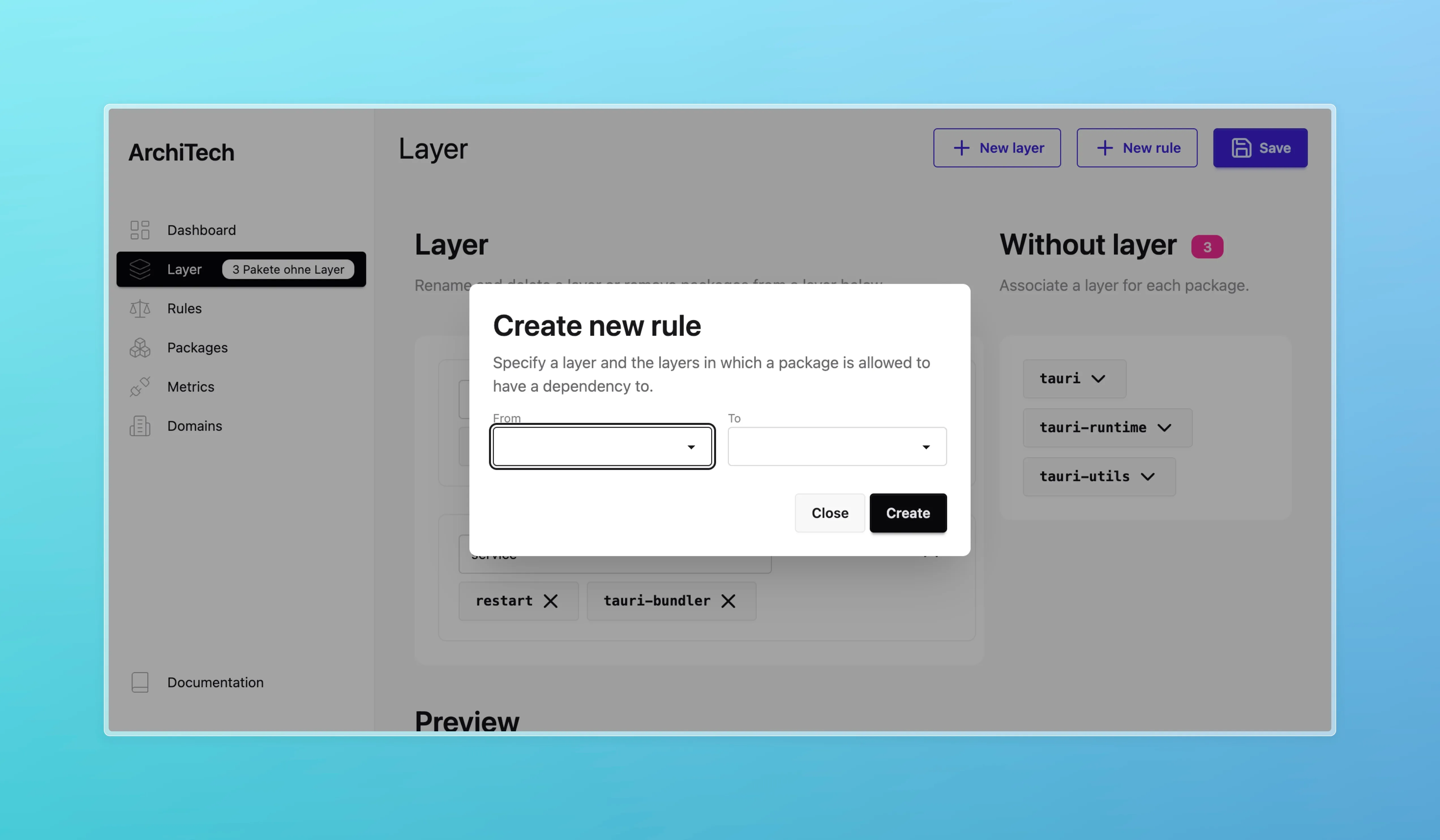
You can view all the existing rules on the rules page.
Templates workspace only
Section titled “Templates ”For a workspace you can choose one of a set of templates. The following templates are available:
- Horizontal Layered Architecture: This template creates an user defined amount of layers with a placeholder name and creates dependency rules as follows: A layer is only allowed to use a layer which sits below it.
- Clean Architecture: This template creates a clean architecture with layers for the domain, application, and infrastructure, with the dependency rule going “outwards”.
which create the layers and the dependency rules for you. This takes work off your hands then using a horizontal layered architecture or clean architecture.